Tableau Migration
ScatterPie Analytics
2 Weeks
2024
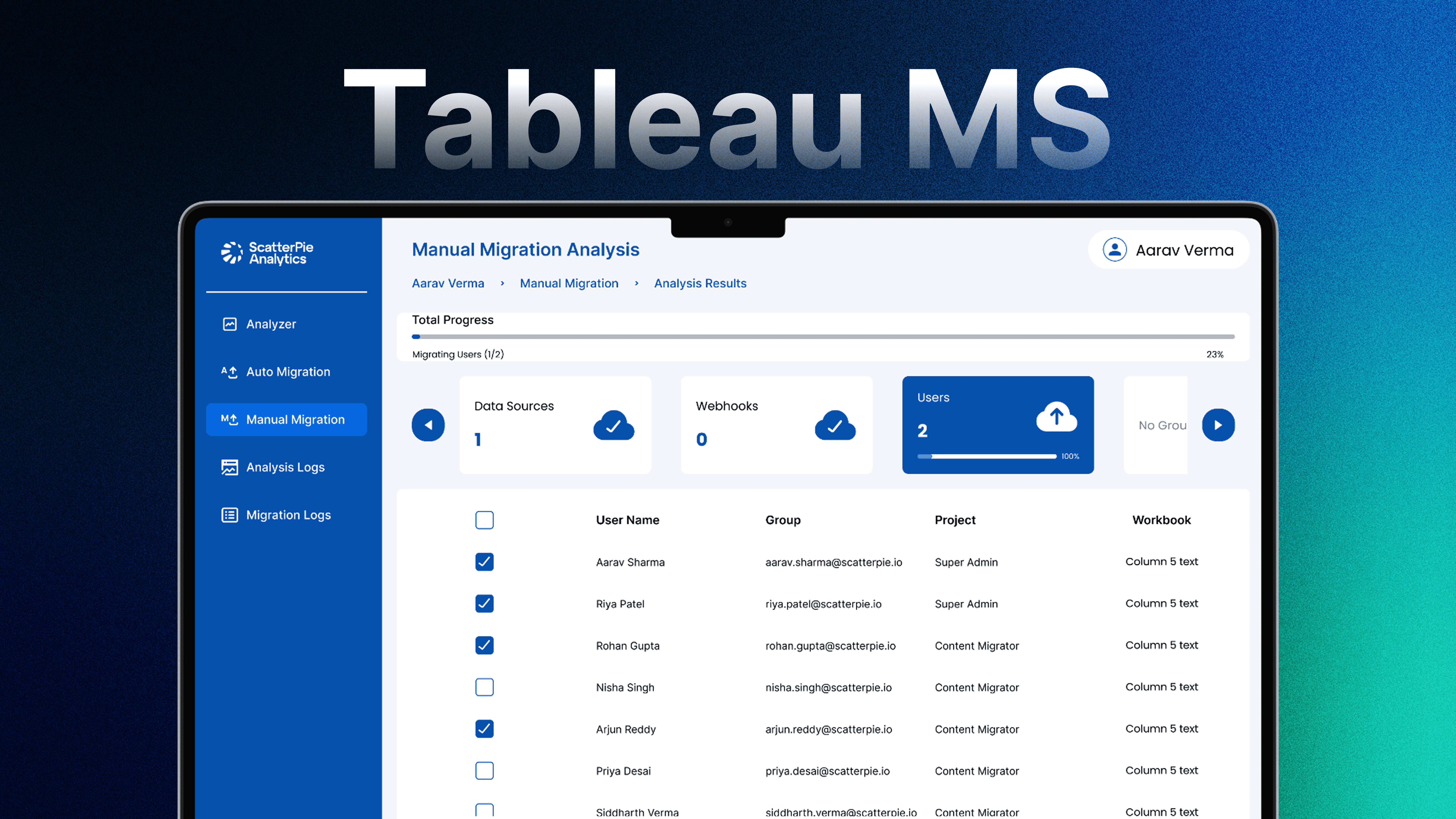
The Tableau Cloud Migration Tool is a purpose-built application designed to help enterprises migrate Tableau data from on-premise servers to the cloud with clarity, control, and confidence.
The Tableau Cloud Migration Tool is a purpose-built application designed to help enterprises migrate Tableau data from on-premise servers to the cloud with clarity, control, and confidence.
Migrating large datasets from local servers to the cloud is a high-risk, one-time operation. The client lacked visibility into what data was being migrated, limited control over the process, and no reliable way to verify success—making migration stressful and error-prone.
I followed a Design Thinking approach, optimizing for trust, transparency, and ease of use in a critical one-time workflow.
Mapped migration journeys covering setup, configuration, execution, and validation
Designed clear flows for auto-migration and manual migration options
Created log and status views to provide real-time feedback and post-migration confidence
Enabled database analysis and selective migration to give users granular control
Focused on error prevention and system feedback to reduce operational risk
Migration is a high-stakes, one-time action — once executed, rollback is complex. This shaped the entire UX philosophy: prevent errors over enabling speed.
Spoke with 3 data engineers who had run Tableau migrations manually. Common failure modes: wrong data source selected, partial migration with no checkpoint, no audit trail after completion.
Insight: Engineers didn't trust automated tools because they couldn't see what was happening mid-process. Real-time log views and step-level confirmation states were designed specifically to address this trust gap.
Key UX Decisions
Decision: No single "Migrate All" button. Why: Power without granularity creates catastrophic error potential. Users must select scope before executing — designed to force intentional action.
Decision: Live log panel runs in parallel with migration progress. Why: Watching a progress bar with no detail creates anxiety. The log gives technical users the verification they need to trust the tool.
Decision: Post-migration summary screen is mandatory before exit. Why: Users need a "receipt" — a final state they can screenshot, archive, and refer to if anything goes wrong post-migration.
Migrations completed successfully
Design-to-handoff timeline
On First go by the stakeholders
The tool simplified a complex, high-stakes migration process into a clear and reliable experience. It reinforced the importance of designing for confidence and transparency—especially in products meant for one-time but mission-critical use.